The LinkedIn Chrome extensionthat comments in your voice
HookTide Assistant adds a Suggest Reply button to every LinkedIn comment box. One click, or Cmd+Shift+H, and a reply that sounds like you appears, ready to edit and post.
Free to install. Needs a HookTide account: the 14-day trial includes 10 credits (20 replies).
Quick Answer
HookTide Assistant is a free Chrome extension that writes LinkedIn comments and replies in your own voice. Install it, sign in to HookTide, then click Suggest Reply in any LinkedIn comment box. It reads the post, drafts a reply based on your past writing, and leaves it in the box for you to edit and post.
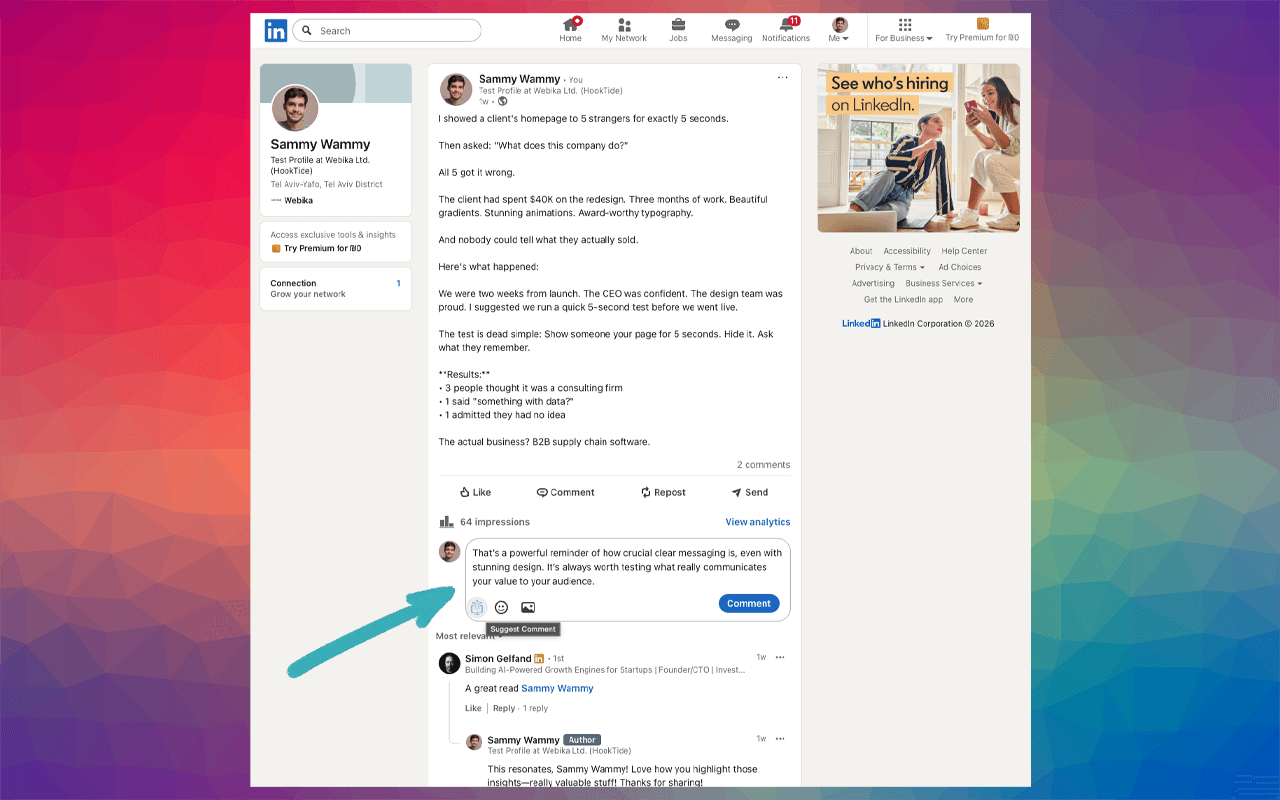
What it does
Replies in your voice
Suggestions come from a model of your own LinkedIn posts and comments, so they don't read like generic AI.
Reads the post first
The reply responds to what the post or comment actually says, not a template.
Try another
Not right? One click gives you a fresh take on the same post.
Keyboard shortcut
Focus any comment box and press Cmd+Shift+H (Ctrl+Shift+H on Windows).
Your settings
Set the reply length, keep or drop the @mention LinkedIn pre-fills, and add custom instructions.
You post it
The suggestion lands in the comment box for you to edit. Nothing is posted until you click Post.
How to set it up
- Start a free HookTide trial with your LinkedIn account. HookTide learns your voice from your past posts.
- Add HookTide Assistant to Chrome from the Chrome Web Store.
- Open LinkedIn, click into any comment box, and click Suggest Reply.
More than replies
The extension is one part of HookTide. In the web app you can plan a month of posts, draft them in your voice, and schedule them to auto-publish. The Pipeline plan adds an Opportunity Inbox of the people engaging with your posts and suggested DMs. See how it compares with other LinkedIn social selling tools.
Frequently Asked Questions
Is the HookTide Chrome extension free?
Does it post comments automatically?
What permissions does it need?
Which LinkedIn Chrome extensions work well alongside it?
Comment like yourself, in half the time.
Start your trial, add the extension, and your next LinkedIn reply is one click away.
Start free — no credit card14-day full-access trial + 10 credits. Each suggested reply uses 0.5 credits.